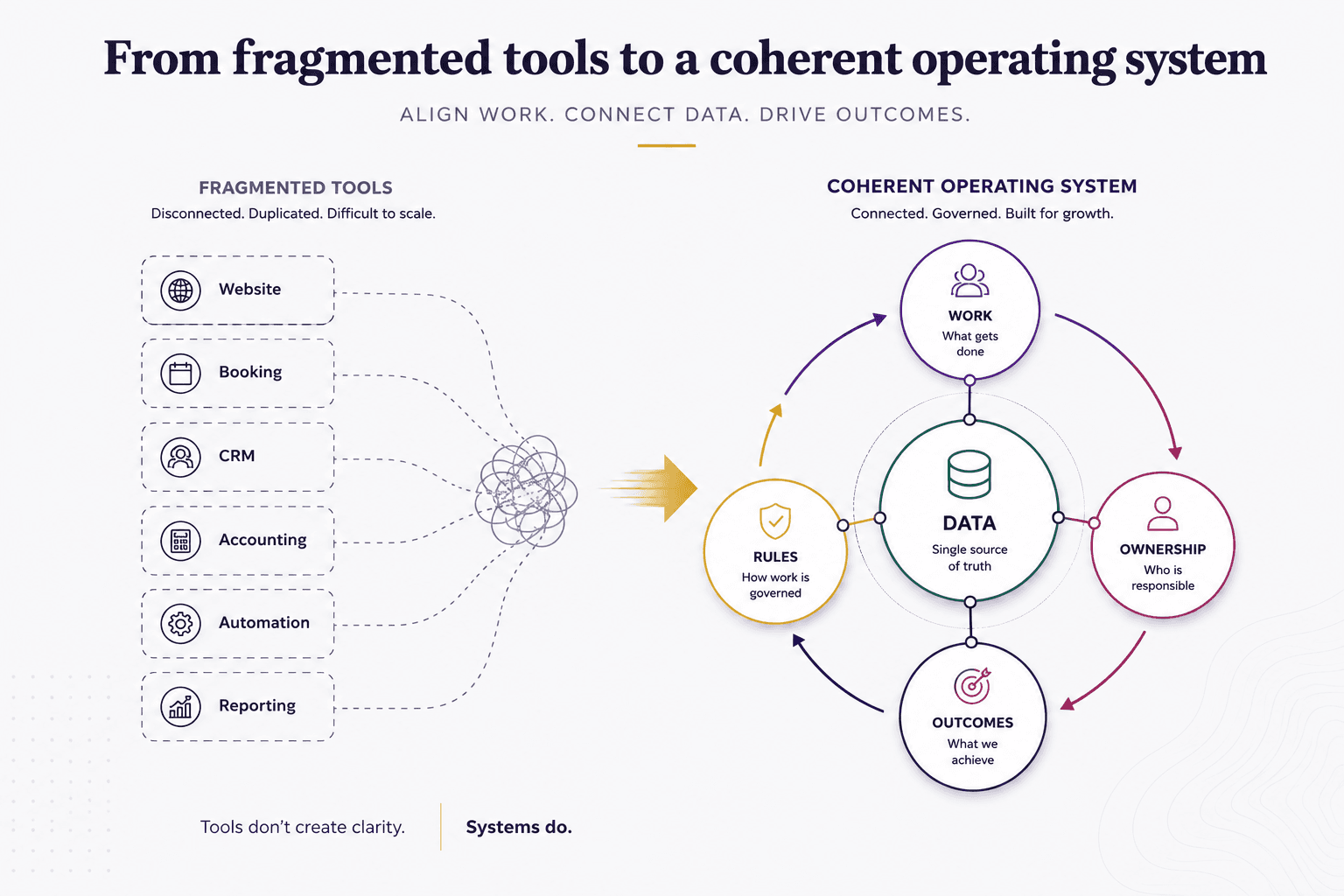
When employees enter the same information into multiple systems, the problem may not be the software. It may be how work and data move through the business.
A customer fills out a form. Someone enters the information into the CRM. Another employee enters some of it again for operations or accounting. A spreadsheet helps reconcile the differences.
The natural reaction is to look for better software.
But first, ask a different question:
Why does this information have to be entered more than once?
That question shifts the focus from individual tools to the system they operate within.
Duplicate entry path
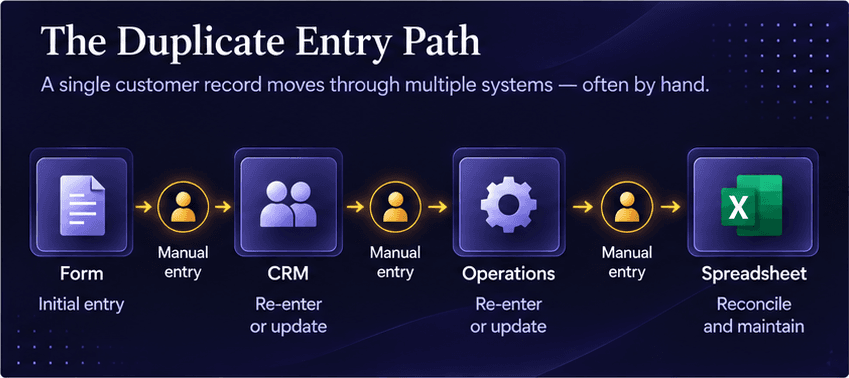
Duplicate data entry is usually telling you something
Most businesses need multiple applications. A CRM, accounting platform, project management system, customer portal, and reporting tools can all have legitimate roles.
The problem is not simply having several systems.
The problem is when no one has clearly defined what each system owns and how information should move between them.
Consider a customer record.
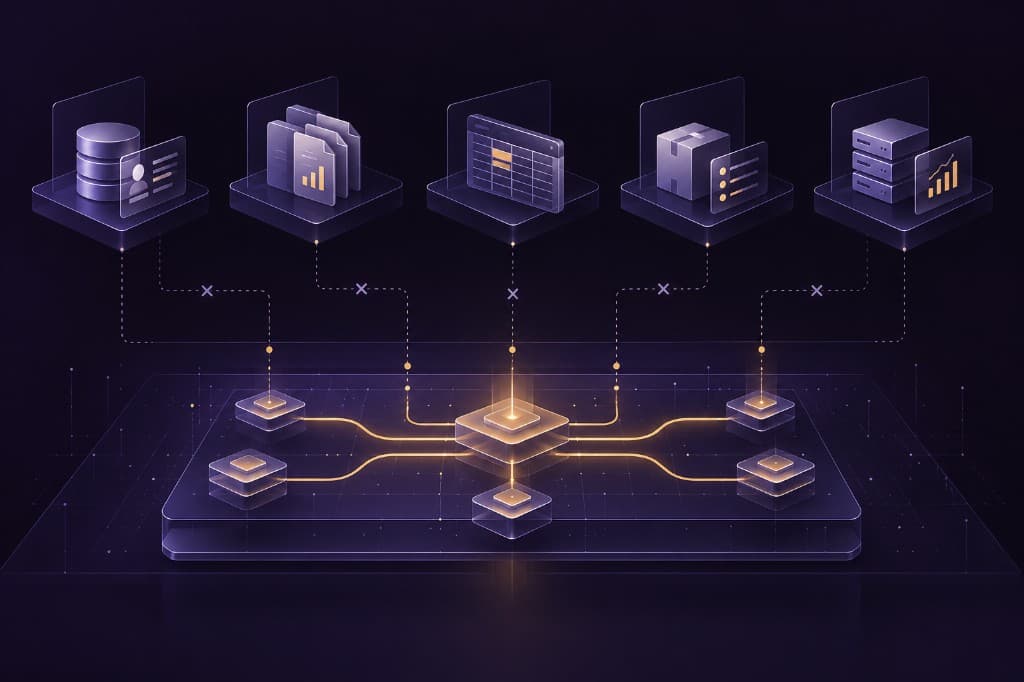
One system may need to be the authoritative source for customer information. Other systems may need parts of that information to perform their functions. If employees are responsible for keeping those records synchronized manually, the business has created a human connection between systems.
Authoritative source vs. manual sync
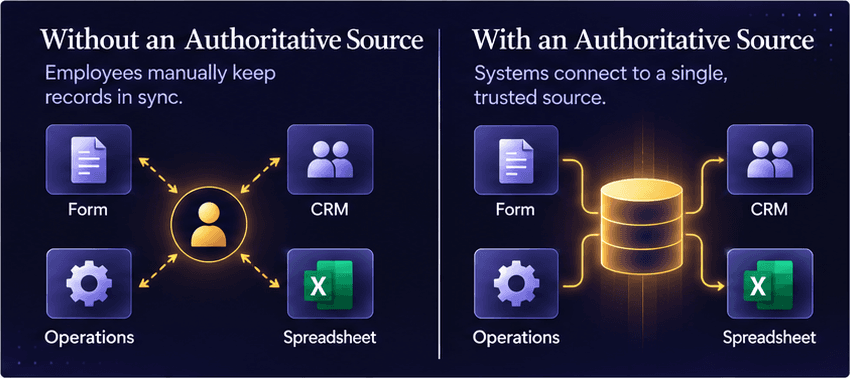
That may work when the company is small. As transaction volume, customer and employee counts, and complexity increase, the workaround becomes harder to sustain.
Duplicate entry, reconciliation spreadsheets, CSV transfers, and manual handoffs are therefore useful diagnostic signals. They show you where the business may have outgrown the way its processes and technology fit together.
Follow the workflow before you choose the solution
Instead of starting with a software search, map one process that creates recurring friction.
It could be:
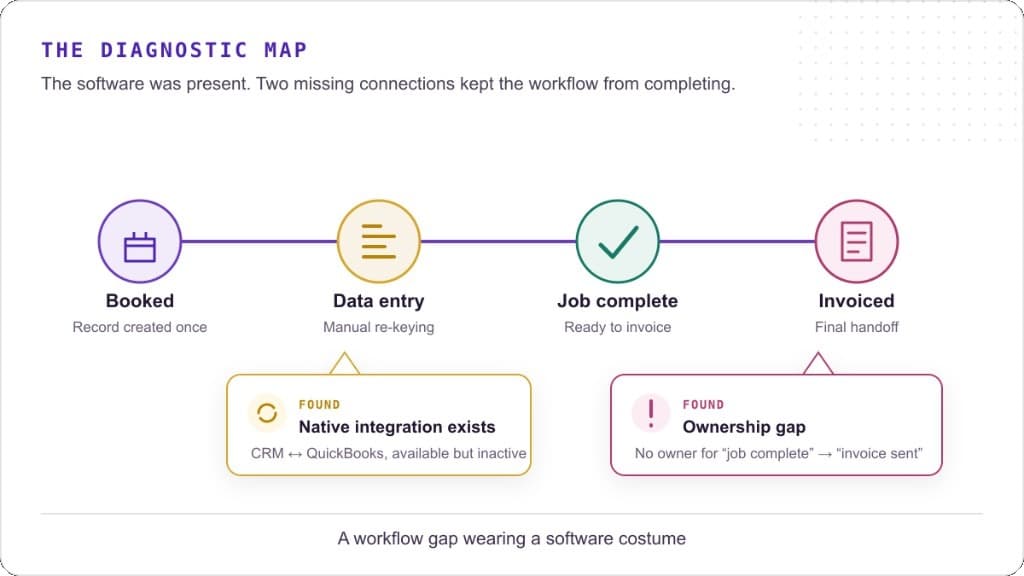
Lead → Customer → Service Delivery → Invoice → Payment
One workflow, many friction points
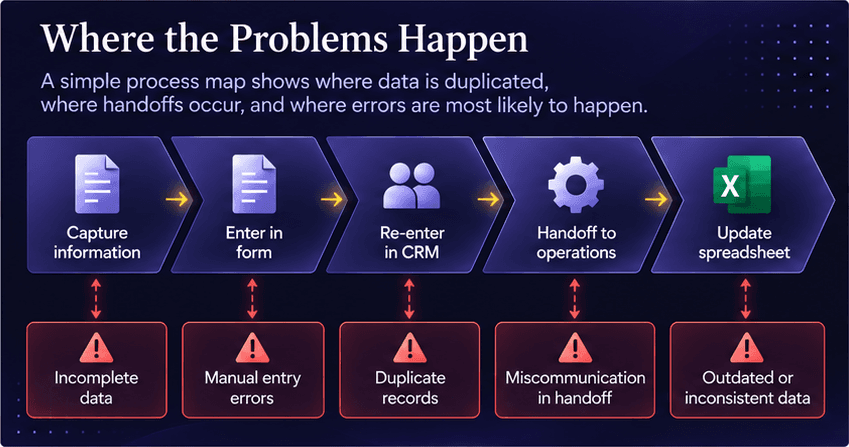
Follow the information through that process and ask:
- Where does the information first enter the business?
- Which system should own it?
- Where is the same information entered again?
- How does it move between systems?
- Where does an employee have to intervene just to keep the process moving?
- Where do errors, delays, or conflicting records appear?
You do not need a sophisticated technology assessment to begin seeing the pattern — you need visibility into the work.
Once the workflow is visible, you can determine what kind of problem you actually have.
Then determine what needs to change
The answer may be:
- Workflow redesign.
- A process that evolved over time may contain steps that are no longer necessary.
- Data ownership.
- Several applications contain customer or operational information, but no authoritative source has been established.
- Integration.
- The applications are appropriate, but information needs to move between them automatically.
- Technology consolidation.
- Different teams may be using overlapping tools to perform similar functions.
- A platform problem.
- The business has outgrown a system and replacing it is the right decision.
These problems can look similar from the employee’s perspective, but they are not the same problem.
That is why starting with a product search can send a business in the wrong direction. A new platform can still leave the underlying workflow untouched. (Before You Add Another Platform)
Your employees should not be the integration layer
There is an important distinction between work that requires people and work that simply requires information to move.
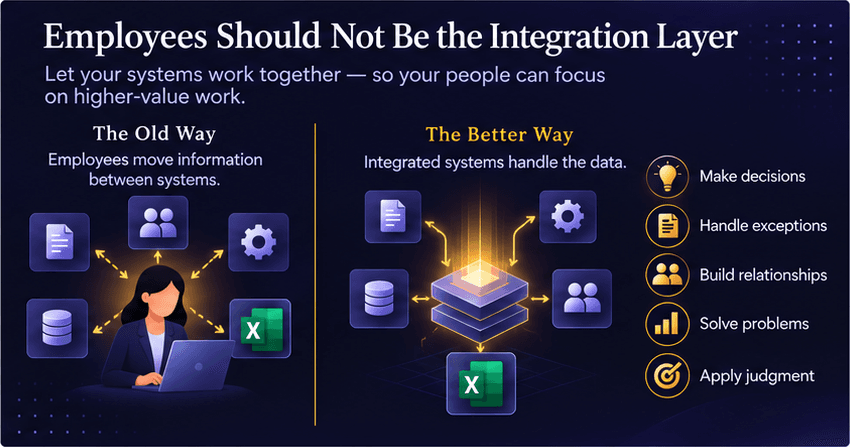
People should make decisions, handle exceptions, build relationships, solve problems, and apply judgment.
They should not routinely have to copy known information from one system into another because the business has never designed a better way for those systems to work together.
People as the integration layer
That does not mean everything needs to be automated or moved into one giant platform.
It means the technology environment should be intentional.
Each system should have a clear purpose. Important data should have a clear owner. Information should move appropriately between systems. Human intervention should exist where it adds value—not simply where a connection is missing.
Start with the flow, not the product
Growing businesses rarely create fragmented technology environments intentionally.
They accumulate them.
A tool is added to solve a sales problem. Another handles accounting. Another supports service delivery. A spreadsheet fills a gap. An automation solves an immediate bottleneck.
Eventually, the individual tools may still work while the overall system does not.
That is when the question needs to change.
Instead of asking:
What platform should we buy?
start with:
How should this work move through our business?
Then determine what technology should support that flow.
You may need better integration. You may need automation. You may need to eliminate redundant tools, redesign a workflow, clarify data ownership, or replace a platform that no longer fits.
But the technology decision comes after the diagnosis.
Because when data lives in five places and your team enters the same information twice, the real problem may not be inside any one application.
It may be in the space between them.